
Free slots and real odds, one tap away.
Put SlotDrop on your Home Screen and it opens like an app: full screen, a tab bar, pages that slide in. The same free slot demos and casino maths, with no App Store and nothing to sign up for.
On iPhone and iPad, it takes three taps
- 1Tap Share in the address bar
- 2Scroll down, choose Add to Home Screen
- 3Tap Add. SlotDrop is on your Home Screen
No Share button? Tap ••• first, then Share.
On Android, from Chrome
- 1Tap ⋮ at the top right of Chrome
- 2Choose Install app (or Add to Home screen)
- 3Confirm. SlotDrop opens like any other app
Open this page in your browser first
Apps like Instagram, TikTok or X open links in their own viewer, which cannot install anything. Tap ••• (or the share icon) and choose Open in browser, then come back to this page.
Get it on your phone
Point your phone camera at the code: this page opens, with the install steps for your phone.
Or install it on this computer
In Chrome or Edge, click the install icon at the right of the address bar. On a Mac with Safari: File › Add to Dock.
You’re using the app. Nice.
Tip: keep SlotDrop in your Dock or on your first Home Screen page, so it’s one tap away.
Installed. Find SlotDrop on your Home Screen.
FreeNo App StoreNo sign-up neededRemove it anytime
Why the app beats a browser tab
Same SlotDrop, same free tools. It just gets out of your way.
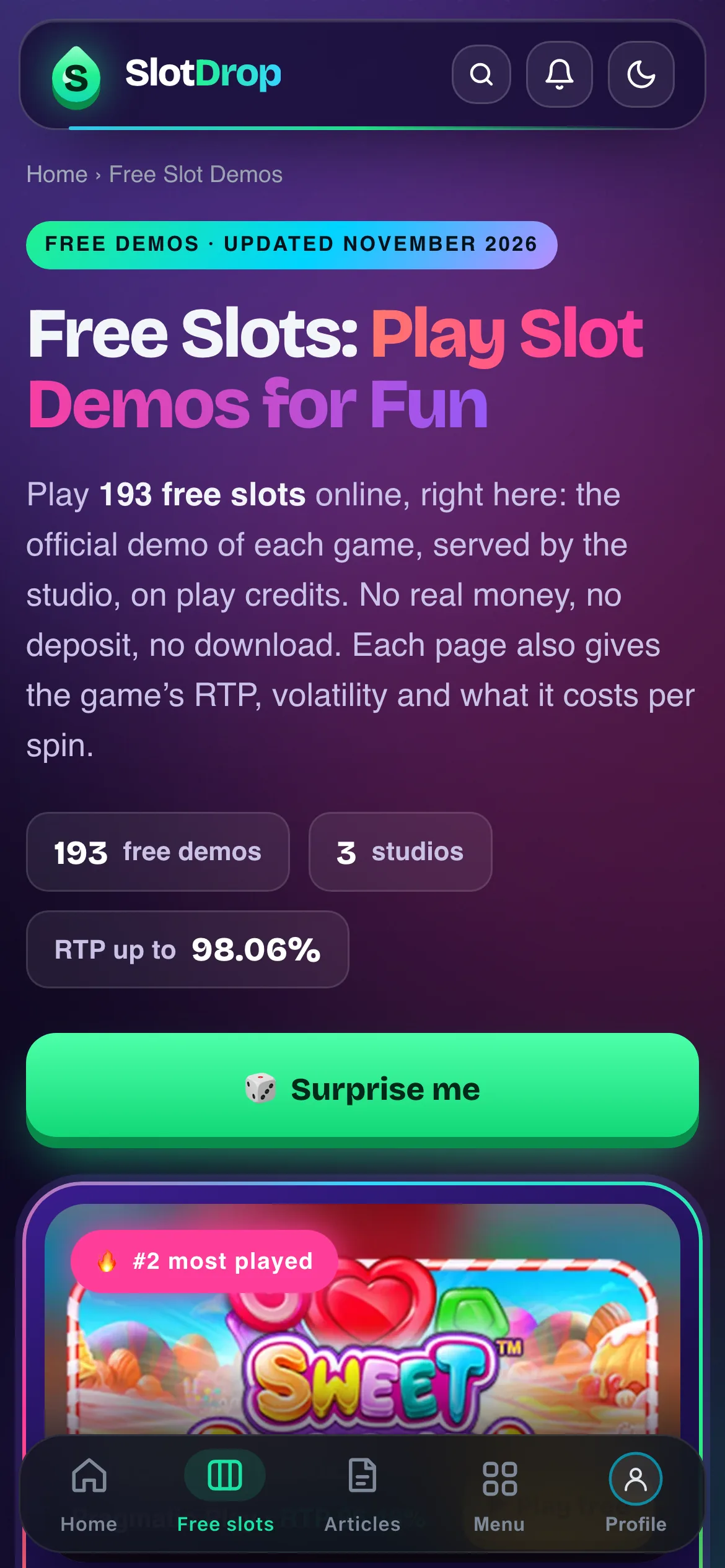
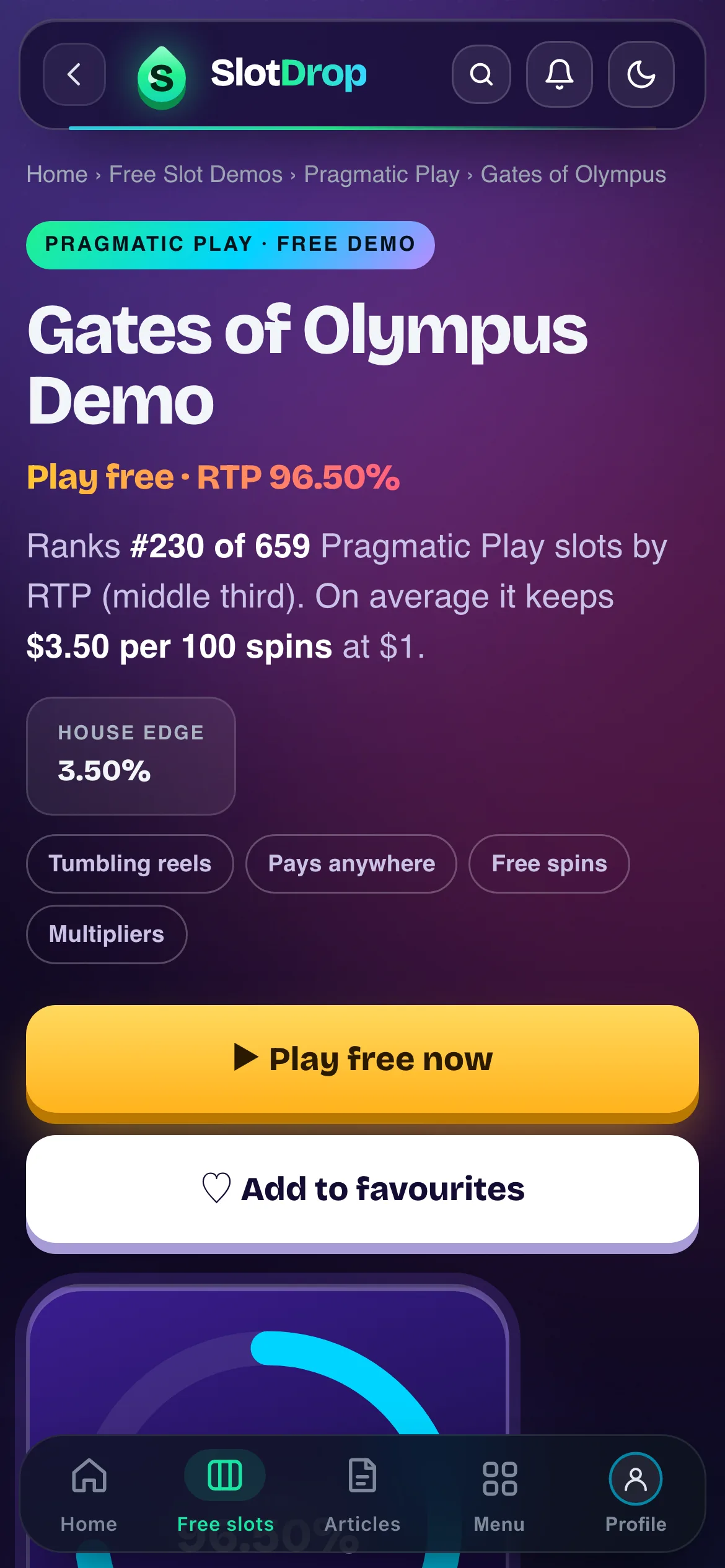
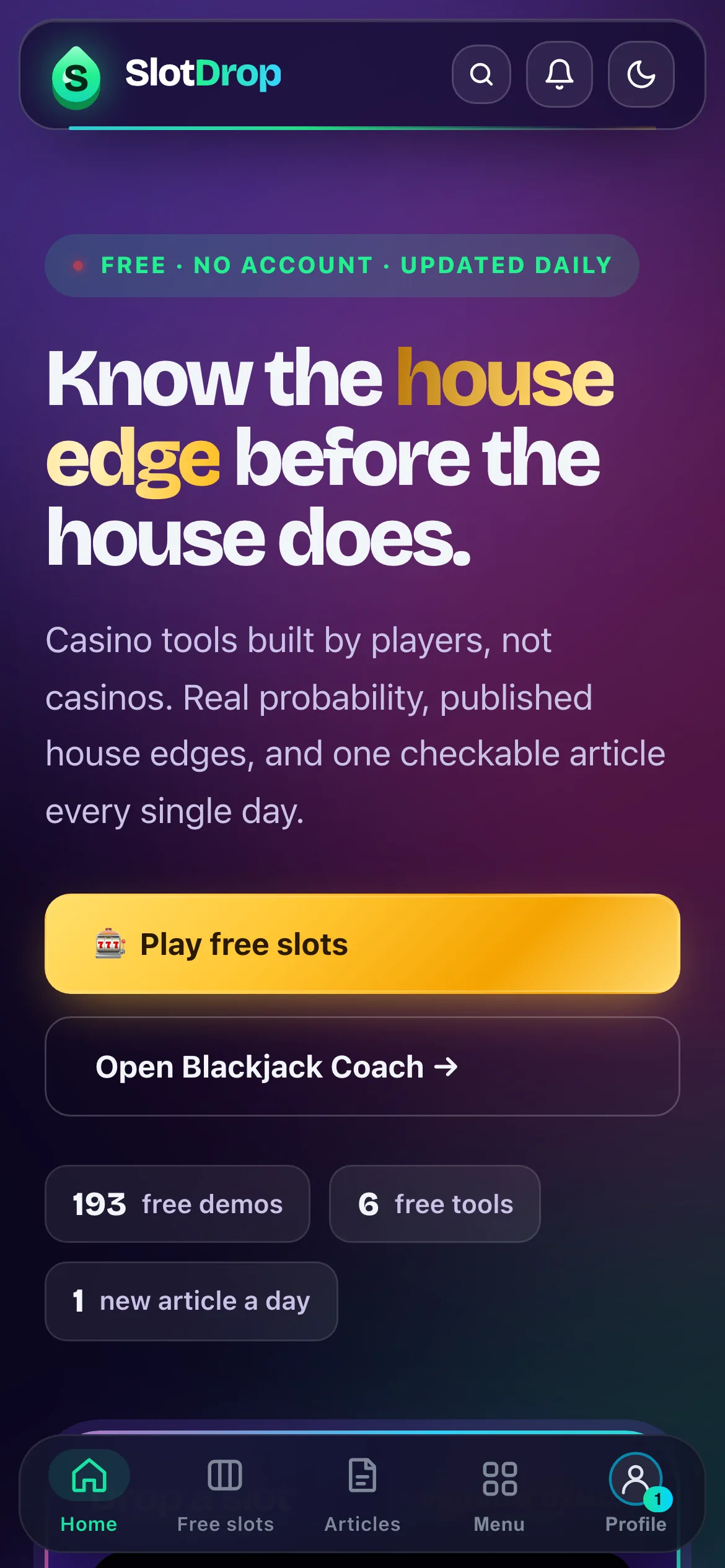
No address bar, no tabs. Slot demos, charts and articles get the whole screen.
Home, Free slots, Articles, Menu and your profile, always one tap away at the bottom.
Pages slide in and out, with a back button and smooth switches between tabs.
Its own icon on your Home Screen. No typing the address, no hunting through browser tabs.
Pages you have already opened are kept on your device, so they still open with one bar.
No store updates to install. Every new slot and the daily article are there as soon as they go live.
Install it in ten seconds
Pick your device. Nothing is downloaded from outside your browser, and you can remove it like any app.
- 1Tap Share in the address bar
- 2Scroll down, choose Add to Home Screen
- 3Tap Add. SlotDrop is on your Home Screen
Works in Safari, Chrome, Edge and Firefox. No Share button? Tap ••• first.
- 1Tap ⋮ at the top right of Chrome
- 2Choose Install app (or Add to Home screen)
- 3Confirm. SlotDrop opens like any other app
Samsung Internet: tap the menu, then Add page to › Home screen.
- 1In Chrome or Edge, click the install icon at the right of the address bar
- 2Click Install
- 3On a Mac with Safari: File › Add to Dock
SlotDrop then opens in its own window, from your Start menu, Dock or Launchpad.
Already on Telegram?
Follow t.me/SlotDropApp: every morning the new slots of the day land there, each with its free official demo, RTP and max win. Plus the daily article.
Join on TelegramFree · 18+ · mute or leave anytime
Questions
Is the SlotDrop app free?
Yes. The app is the SlotDrop website saved to your Home Screen, with the same free slot demos, calculators and articles. Nothing to pay, no in-app purchases, and you don’t need an account.
Why isn’t it on the App Store or Google Play?
We built it as a web app so it works on every phone and computer, updates itself the moment we publish, and installs in a few seconds without a store account. It still gets its own icon, opens full screen and behaves like an app.
What does it install on my phone?
No file is downloaded from outside your browser. Your phone keeps a shortcut and a small cache of the pages you open, the same data your browser already stores for any site. SlotDrop doesn’t ask for your camera, contacts or location.
Does it work on iPhone?
Yes, on iPhone and iPad with Safari, Chrome, Edge or Firefox: tap Share, then Add to Home Screen. Apple doesn’t let websites start the install themselves, which is why it takes those two taps.
Are the slots real money?
No. Every slot on SlotDrop is the studio’s official demo, played with free play credits. There is no deposit and nothing to win or lose. SlotDrop is for adults (18+).
How do I remove it?
Like any app. On iPhone, press and hold the icon, then Remove App. On Android, press and hold, then Uninstall. On a computer, open the app’s menu and choose Uninstall.
Ready when you are
Free, no App Store, no sign-up. Remove it anytime.
On iPhone and iPad, it takes three taps
- 1Tap Share in the address bar
- 2Scroll down, choose Add to Home Screen
- 3Tap Add. SlotDrop is on your Home Screen
No Share button? Tap ••• first, then Share.
On Android, from Chrome
- 1Tap ⋮ at the top right of Chrome
- 2Choose Install app (or Add to Home screen)
- 3Confirm. SlotDrop opens like any other app
Open this page in your browser first
Apps like Instagram, TikTok or X open links in their own viewer, which cannot install anything. Tap ••• (or the share icon) and choose Open in browser, then come back to this page.
Get it on your phone
Point your phone camera at the code: this page opens, with the install steps for your phone.
Or install it on this computer
In Chrome or Edge, click the install icon at the right of the address bar. On a Mac with Safari: File › Add to Dock.
You’re using the app. Nice.
Tip: keep SlotDrop in your Dock or on your first Home Screen page, so it’s one tap away.
Installed. Find SlotDrop on your Home Screen.
FreeNo App StoreNo sign-up neededRemove it anytime
18+ · SlotDrop has no real-money games: every slot is the studio’s official demo, on free play credits. · Safer Play